
Link Reclamation: How to Find & Reclaim Lost Links for SEO (Complete 2025 Guide)
Lost backlinks are lost opportunities—but they don’t have to be gone forever. Learn how to reclaim lost or broken links, restore your link equity, and boost your SEO without creating new content.

What Is Link Reclamation?
Link Reclamation is the process of finding and fixing backlinks that you once had but lost—either due to site changes, errors, or external factors.
These links may be:
- Removed by the site owner
- Broken due to URL changes or typos
- Pointing to deleted or redirected pages
- Mentions of your brand without a link
Instead of building new links from scratch, link reclamation helps you recover existing link equity—a smart, high-ROI strategy for SEO.
Why Link Reclamation Matters for SEO
Backlinks are one of Google’s top ranking factors. Losing them can negatively affect your:
- Domain authority (DA)
- Page authority (PA)
- Organic traffic
- Keyword rankings
But the good news? Most webmasters don’t intentionally remove your links. They just… forget. Or something on your end changed. Link reclamation lets you recover that value quickly.
The benefits of reclaiming links include:
✅ Restores lost SEO value
✅ Faster than earning new links
✅ Maintains domain authority
✅ Strengthens old content
✅ Boosts pages that previously ranked well
💡 Reclaiming 20 solid links could give you the same SEO lift as building 100 new ones from low-authority sources.
How Do Backlinks Get Lost in the First Place?
Before we jump into fixing them, it helps to understand why links disappear. Common causes include:
1. Site Redesigns or URL Structure Changes
If your page URLs change but aren’t properly redirected, the old links will break.
2. Page Deletion or Content Updates
When a blog post or landing page is removed, any backlinks to it lead to a 404 error.
3. External Website Changes
The linking site may have:
- Deleted or updated their page
- Removed or replaced your link
- Changed domain structures or CMS platforms
4. Incorrect URLs or Typo Links
Sometimes, people simply link to the wrong version of your URL. These need correction.
5. Unlinked Brand Mentions
You might be mentioned online but not actually linked. These are low-hanging fruit for reclamation.
Step-by-Step: How to Reclaim Lost Links (The Right Way)
Here’s a complete blueprint to help you track, analyze, and reclaim your lost link equity efficiently.
Step 1: Identify Lost Backlinks
Start by tracking down the links that have gone missing.
Use SEO Tools Like:
| Tool | Feature |
|---|---|
| Ahrefs | “Lost Backlinks” and “Broken Backlinks” reports |
| SEMrush | Backlink Audit → “Lost” tab |
| Majestic | “Backlink History” |
| Google Search Console | Monitor backlink drop-off |
Look at both:
- Lost backlinks (removed by external sites)
- Broken backlinks (pointing to dead pages)
✅ Pro Tip: Filter by “do-follow” links to focus on the ones that impact SEO most.
Step 2: Categorize the Link Losses
Not all lost links are worth reclaiming. Prioritize them by:
- Domain Authority (DA/DR): Focus on links from high-authority sources.
- Relevance: Stick to industry-relevant backlinks.
- Traffic Potential: If the referring page gets traffic, reclaiming the link brings more value.
Then group them into types:
- Broken internal links (your fault)
- Removed or replaced links (external site’s fault)
- Unlinked mentions
Step 3: Fix Internal Linking Errors
Start with what you can control: your own website.
Actions to take:
- Set up 301 redirects for old/dead URLs
- Update old posts that link to non-existent pages
- Restore deleted pages if they had valuable backlinks
⚠️ Always redirect to the most relevant live page—don’t just point everything to your homepage.
Step 4: Reach Out for Link Replacements
If someone removed or broke your backlink, reach out politely and request a fix.
Outreach Email Template:
Subject: Quick Fix for a Broken Link on Your Site

Hi [Name],

I came across your article “[Page Title]” and noticed that the link to our page ([old URL]) is currently broken or missing. We recently updated the page and it's now live at [new URL].

If you're open to it, would you mind updating the link? That way, your readers will get the most accurate information.

Thanks so much—and great content by the way!

Best,
[Your Name]
📬 Keep it short, respectful, and focused on helping their readers.
Step 5: Reclaim Unlinked Brand Mentions
Use tools to find places where people mention your brand, product, or name—but don’t link to your site.
Tools for brand mention tracking:
- Google Alerts
- Mention.com
- Ahrefs “Content Explorer”
- BuzzSumo Alerts
Once you find these mentions, reach out and kindly ask them to link to the relevant page on your site.
Step 6: Monitor and Repeat
Link reclamation isn’t a one-time task. It should be part of your monthly SEO routine.
- Schedule regular backlink audits
- Use alerts to track new link losses
- Set up redirect rules when updating content
- Track results in your SEO dashboard
Advanced Link Reclamation Tactics

Looking to go beyond the basics? Here are some advanced strategies that pros use to find and fix links at scale.
1. Reclaim Links from Stolen or Scraped Content
If sites copy your content without proper credit, use DMCA takedowns or email outreach to request credit with a backlink.
2. Update Outdated Guest Posts You Wrote
If you’ve contributed guest posts in the past, check if those links are still active. If the post is old, offer an updated version—and include a fresh backlink.
3. Reclaim Links from Redirect Chains
Long redirect chains (301 → 302 → 301 → destination) dilute link equity. Use Screaming Frog or Ahrefs Site Audit to fix or consolidate these chains.
4. Use Ahrefs Alerts for Link Changes
Set up alerts for your domain in Ahrefs to get real-time notifications when:
- A backlink is lost
- A referring page is removed
- Anchor text changes
This allows you to act fast and reclaim links before they vanish permanently.
Real-World Example: 40 Reclaimed Links = 30% More Traffic
A mid-size SaaS company ran a link reclamation campaign after discovering 200+ broken backlinks from product updates and old blogs.
Results after 3 months:
- 40 high-quality links reclaimed
- 8 deleted pages restored and redirected
- 4 guest posts updated with new links
- Organic traffic rose by 30%
Reclamation = less work, better ROI.
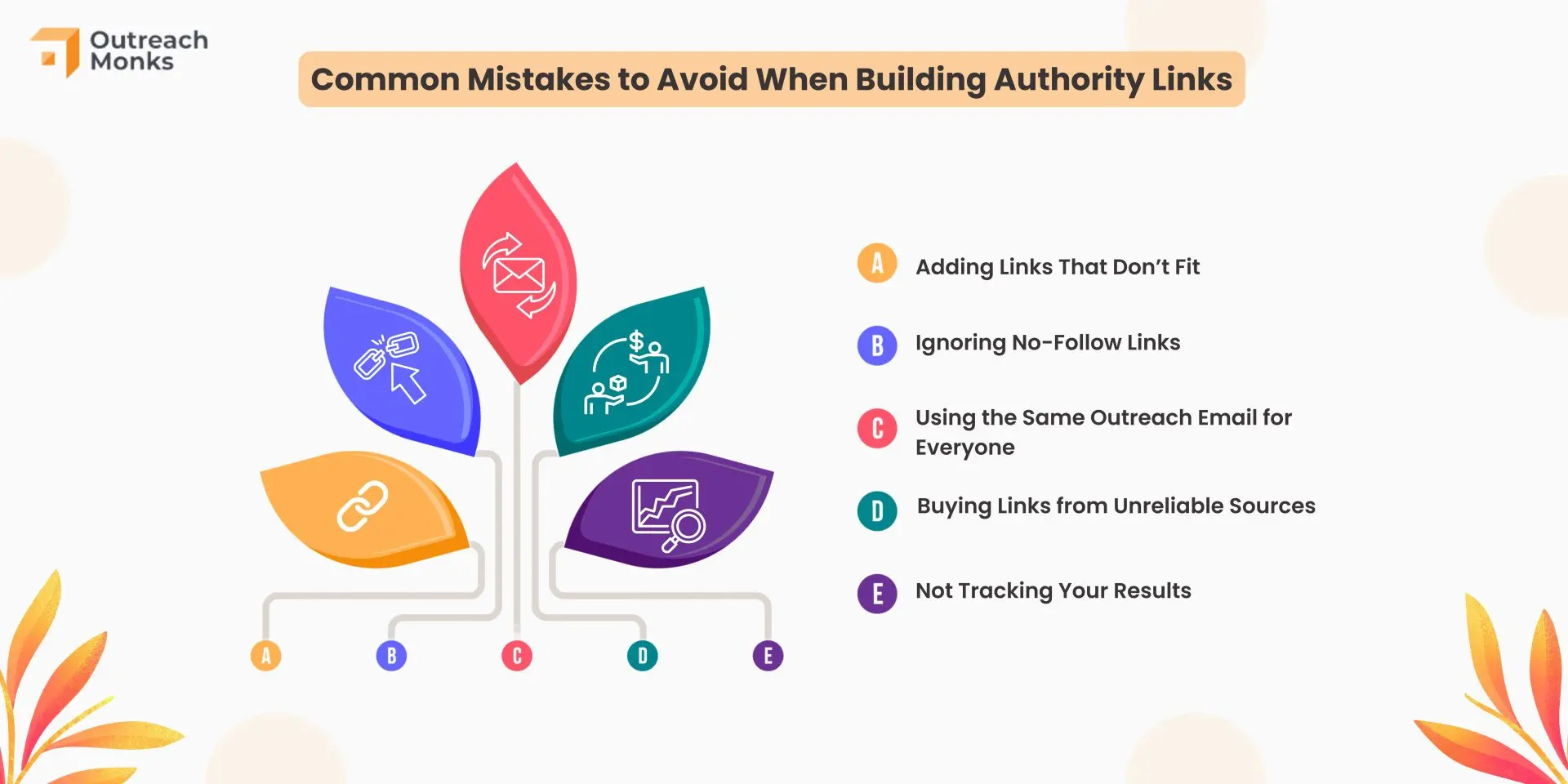
Common Link Reclamation Mistakes to Avoid
❌ Ignoring low-hanging fruit (internal errors)
Start with fixing your own broken URLs before emailing others.
❌ Being pushy in outreach
You’re asking for a favor. Be helpful, polite, and professional.
❌ Redirecting everything to homepage
Bad for SEO. Always redirect to the most relevant content.
❌ Focusing on low-authority, irrelevant links
Don’t waste time chasing backlinks that offer no SEO value.
FAQs: Link Reclamation for SEO
1. How often should I run link reclamation audits?
At least once per quarter. Monthly is better for active sites or agencies.
2. What types of backlinks are worth reclaiming?
Prioritize:
- High DA/DR domains
- Niche-relevant content
- Pages that once drove referral traffic
- Links with branded or exact-match anchor text
3. Should I use automation for link reclamation outreach?
Use tools like BuzzStream or Mailshake to scale outreach, but always personalize your messages for better response rates.
4. Can I reclaim links from expired domains or 404 pages?
Not always. If the referring domain no longer exists, you can’t reclaim the link. If the page still exists but links to a 404 on your site—yes, reclaim it!
5. What’s more valuable—new links or reclaimed ones?
Both matter. Reclaimed links are low-effort, high-ROI wins, especially when they come from trusted domains.
6. Does fixing broken internal links help SEO?
Yes. Broken internal links hurt user experience and crawlability. Reclaiming those helps retain PageRank and improves site structure.
7. What response rate should I expect from outreach?
Typical response rates for polite link reclamation outreach range from 5–15%. Personalized messages perform best.
Final Thoughts: Don’t Let Link Equity Slip Away

Every time a backlink breaks or disappears, your website loses authority, trust, and visibility. But with link reclamation, you can:
- Recover lost value
- Improve rankings
- Reinforce existing content
- Boost traffic—all without creating anything new
It’s like plugging holes in a leaking bucket. And it’s one of the easiest wins in any smart SEO strategy.
So stop letting links disappear into the void. Reclaim them, restore your ranking power, and stay ahead of your competitors—one recovered backlink at a time.