
Where Does My Website Rank on Google? 4 Easy Ways to Check (and What To Do Next)
Knowing where your website ranks on Google isn’t just a vanity metric—it’s essential for understanding how visible your content is, where traffic is coming from, and what’s working in your SEO strategy.
Whether you’re a small business owner, a content marketer, or an SEO professional, checking your Google rankings gives you a clear picture of your online performance.
But here’s the problem: Google doesn’t just show the same results to everyone. With personalized search results, device differences, location-based variations, and frequent algorithm updates, figuring out exactly where you rank can feel confusing.
🚦 Why Your Google Ranking Matters
Before diving into the how-to, let’s quickly look at why ranking tracking is so important.
✅ Visibility = Traffic
The top 3 search results on Google get over 50% of all clicks. If you’re not on the first page—especially in the top positions—your chances of getting organic traffic are slim.
✅ Performance Tracking
Rankings help you understand whether your SEO campaigns are actually working. Did you improve after that last content update? Or did a recent Google update drop your rankings?
✅ Competitor Analysis
By knowing where you stand, you can benchmark yourself against competitors and uncover opportunities to outrank them.
🔍 How Google Ranks Pages (In a Nutshell)
Google uses over 200 ranking factors to determine where your website appears in the search results. These include:
- Content relevance
- Keyword usage
- Backlink profile
- Page speed
- Mobile-friendliness
- User behavior signals (click-through rate, bounce rate, etc.)
- Domain authority and topical expertise
So when you search for your site manually, remember: what you see isn’t always what others see.
📊 4 Accurate Ways to Check Your Google Ranking
Let’s look at the best tools and methods you can use to accurately track your keyword rankings on Google.
1. Use Google Search Console (Free & Direct From Google)
Google Search Console (GSC) is Google’s official tool that lets you see how your site is performing in search—straight from the source.
Here’s what you can track:
- Keywords your site ranks for
- Clicks, impressions, average position
- CTR (click-through rate) for each keyword
- Historical ranking trends
How to do it:
- Log into Google Search Console.
- Click on your website property.
- Go to the Performance tab.
- Click on “Queries” to see all the keywords your site ranks for.
- Use filters to sort by impressions, clicks, or average position.
Pro Tip: The “Average Position” metric is helpful, but remember—it’s an average across devices, users, and locations, so treat it as an estimate.
2. Use Rank Tracking Tools (SEMrush, Ahrefs, Moz, etc.)

If you’re serious about SEO, a professional rank tracking tool is a must.
These platforms let you:
- Track specific keywords over time
- Monitor multiple websites or pages
- Get visibility data across countries/devices
- Compare with competitors
- Set alerts for ranking changes
Top tools to consider:
| Tool | Best For | Price |
|---|---|---|
| Ahrefs | Deep keyword analysis + backlink tracking | From $99/month |
| SEMrush | Full-suite SEO and competitor tracking | From $129/month |
| Moz Pro | Easy-to-use rank tracker + suggestions | From $99/month |
| SERanking | Affordable and accurate | From $39/month |
| Ubersuggest | Beginner-friendly, budget tool | From $29/month |
How to use them:
Just add your domain and keywords you want to track. These tools do the rest—sending you regular updates about where your content ranks.
3. Do a Manual Search (With Caution)
The simplest (but least accurate) way is to just Google your target keyword and look for your site in the results.
But beware: manual searches are affected by:
- Your location
- Your browser history
- Your search behavior
- Whether you’re signed into Google
How to do it right:
- Open a private/incognito window
- Use a VPN or location simulator
- Log out of your Google account
- Clear cookies and cache
Still, even with those steps, it’s not 100% reliable, and it’s impractical for tracking dozens of keywords.
4. Use a SERP Checker or Online Keyword Tracker (Free Tools)

If you’re not ready to invest in a premium SEO tool, there are some free or freemium online tools that help you check your rankings quickly.
Try:
These tools let you type in your keyword and domain to see your position. Some allow bulk checking and even regional tracking.
Limitations: Free tools often have usage limits, less accuracy, or lack historical data. But they’re a great way to get started.
🧠 Interpreting Your Ranking Data: What It Really Means
So you’ve checked your rankings—now what?
Here’s how to make sense of the numbers:
| Metric | What It Tells You |
|---|---|
| Position 1–3 | Excellent! You’re dominating. Now focus on CTR & engagement. |
| Position 4–10 | Still page one. Improve on-page SEO or earn more links to move up. |
| Position 11–30 | Page 2–3. Focus on optimization or build new backlinks. |
| Position 31+ | Low visibility. Re-evaluate your content or keyword targeting. |
Tracking your rankings over time also helps you catch trends early, spot penalties, and adjust your strategy before traffic drops.
🚀 How to Improve Your Rankings (If You’re Not Happy With Them)
If your website isn’t where you want it to be in search results, don’t panic. Here’s what you can do:
✅ Optimize Your On-Page SEO
- Use keywords naturally in headings, content, and meta tags
- Improve internal linking
- Add relevant visuals and media
- Ensure fast loading speed and mobile responsiveness
✅ Build High-Quality Backlinks
- Reach out for guest posting
- Use HARO or Qwoted to get media mentions
- Promote content via email, social, and PR
- Create link-worthy assets (like data studies or tools)
✅ Refresh and Update Existing Content
- Add new sections
- Improve formatting for readability
- Fix outdated info
- Re-optimize title tags and meta descriptions
✅ Match User Intent
If someone searches “best garden tools,” they want a list of tools—not a generic article on gardening. Make sure your content aligns with what searchers actually want.
📌 Bonus: Rank Tracking Best Practices
To get the most from your ranking data, follow these tips:
| Tip | Why It Matters |
|---|---|
| Track both branded and non-branded keywords | Shows how your site performs for general search terms vs. your brand name |
| Monitor rankings weekly or bi-weekly | Daily changes are normal—look for trends, not short-term dips |
| Segment rankings by page, not just domain | A few strong pages can carry your site, but others may need help |
| Track local rankings (if relevant) | Crucial for local businesses or services |
| Combine ranking data with traffic & conversion data | Rankings are only useful if they translate to results |
❓ FAQs: Understanding Google Rankings
Q1: Why do rankings vary between devices or locations?
Google personalizes results based on your IP address, search history, and device type. A keyword might rank #3 on your phone in New York but #9 on a desktop in London.
Q2: How long does it take to improve rankings?
It depends. For brand-new sites, it can take 3–6 months. For existing pages with some authority, you might see movement in a few weeks after making SEO changes.
Q3: Can I check my Google ranking without tools?
Yes—but it’s not very accurate. A manual search is affected by personalization. For best results, use incognito mode and a VPN, or rely on professional tools.
Q4: Is being on page 2 of Google worth anything?
Not really. Studies show that less than 1% of searchers click on results past page one. Your goal should be to rank in the top 10, ideally top 3.
Q5: Should I track hundreds of keywords?
Not unless you have a big team. Focus on:
- High-volume, high-relevance keywords
- Keywords with strong intent
- Variations or long-tails tied to your main content
Q6: Can my rankings drop suddenly?
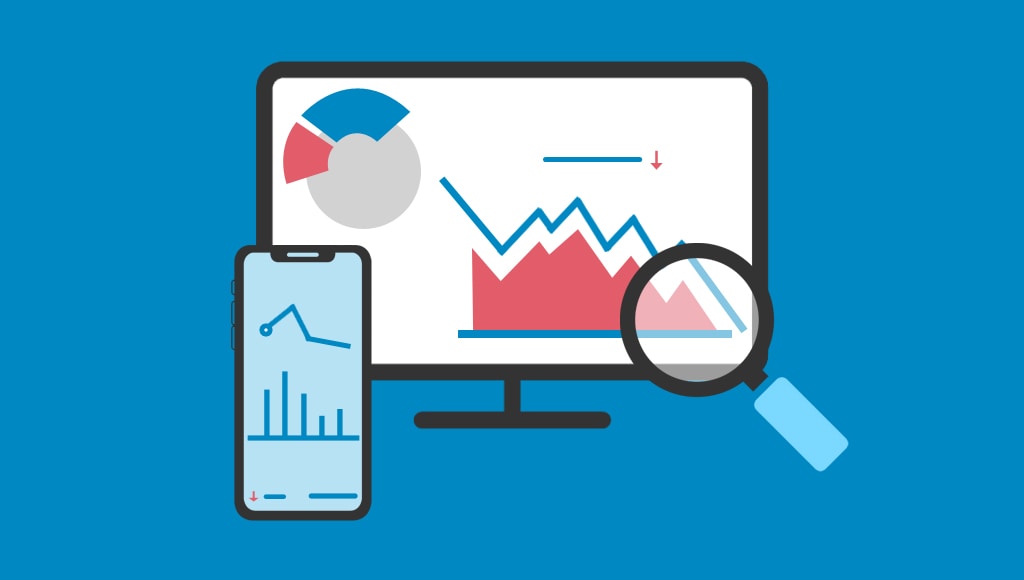
Yes. This can happen due to:
- A Google algorithm update
- Competitor improvements
- Technical issues on your site
- Loss of backlinks
If you notice a drop, dig into Google Search Console and your SEO tools to diagnose the issue.
🧭 Final Thoughts: Tracking Your Google Ranking Is Just the Start
Figuring out where your site ranks on Google is just the first step. The real value comes from:
- Understanding why your content ranks where it does
- Spotting changes before they impact your traffic
- Adjusting your strategy based on the data
- Building a smarter, more resilient SEO plan
So whether you’re using Google Search Console, SEMrush, or just checking manually, make ranking checks a regular part of your digital marketing routine.
Because when you know where you stand, you can figure out exactly how to move forward.